
A Quick Reality Check From My Journey: Learning how to create Etsy mockups with AI “Let’s be honest. When I launched my first digital product bundle, I thought standard, flat Canva mockups would cut it. They didn’t. I watched my competitors with photorealistic, high-end lifestyle previews pull all the traffic. The turning point for my storefront was realizing that Etsy buyers don’t just buy a digital file; they buy the ‘vibe’ of how that file fits into their life. Once I stopped using generic stock templates and started rendering custom AI environments, my conversion rates completely shifted.”
In the e-commerce ecosystem, visual staging is just as critical as the product itself. For digital download and print-on-demand sellers, professional presentation can either make or break a storefront. Learning how to create Etsy mockups with AI allows you to bypass expensive photography studios and generic stock photos that buyers instantly recognize and scroll past.
By leveraging advanced generative models like Midjourney v6.1, you can engineer bespoke, photorealistic settings for your apparel, minimalist wall art, or editable template assets. Here is the definitive step-by-step pipeline to build high-end commercial mockups that command attention and convert browsers into buyers.
Etsy SEO 2026: Using Data-Driven Workflows for Success
How to Create Etsy Mockups with AI Step 1: Choosing Your Commercial Aesthetic Vector
Before generating an asset, you must align the setting with your target demographic’s lifestyle. A common mistake is using chaotic backgrounds that distract from the primary product. Your mockup environment should be clean, highly stylistic, and natural:
- The Modern Farmhouse/Scandinavian Room: Perfect for printable wall art, posters, and family portraits. It utilizes soft wooden textures, neutral tones, and organic plant shadows.
- The Bright Minimalist Studio: Ideal for editable digital templates, boarding passes, or greeting cards. It features flat surfaces, soft overhead studio lighting, and zero clutter.
- The Urban Streetwear Vibe: Tailored for graphic t-shirts and hoodies, focusing on textured concrete backgrounds or candid natural poses.
Defining this vector early ensures your storefront maintains a cohesive, branded aesthetic across all listing thumbnails.
AI Image Generation for Etsy: 5 Easy Steps to Create Bestsellers
How to Create Etsy Mockups with AI Step 2: Advanced Midjourney Prompt Architecture
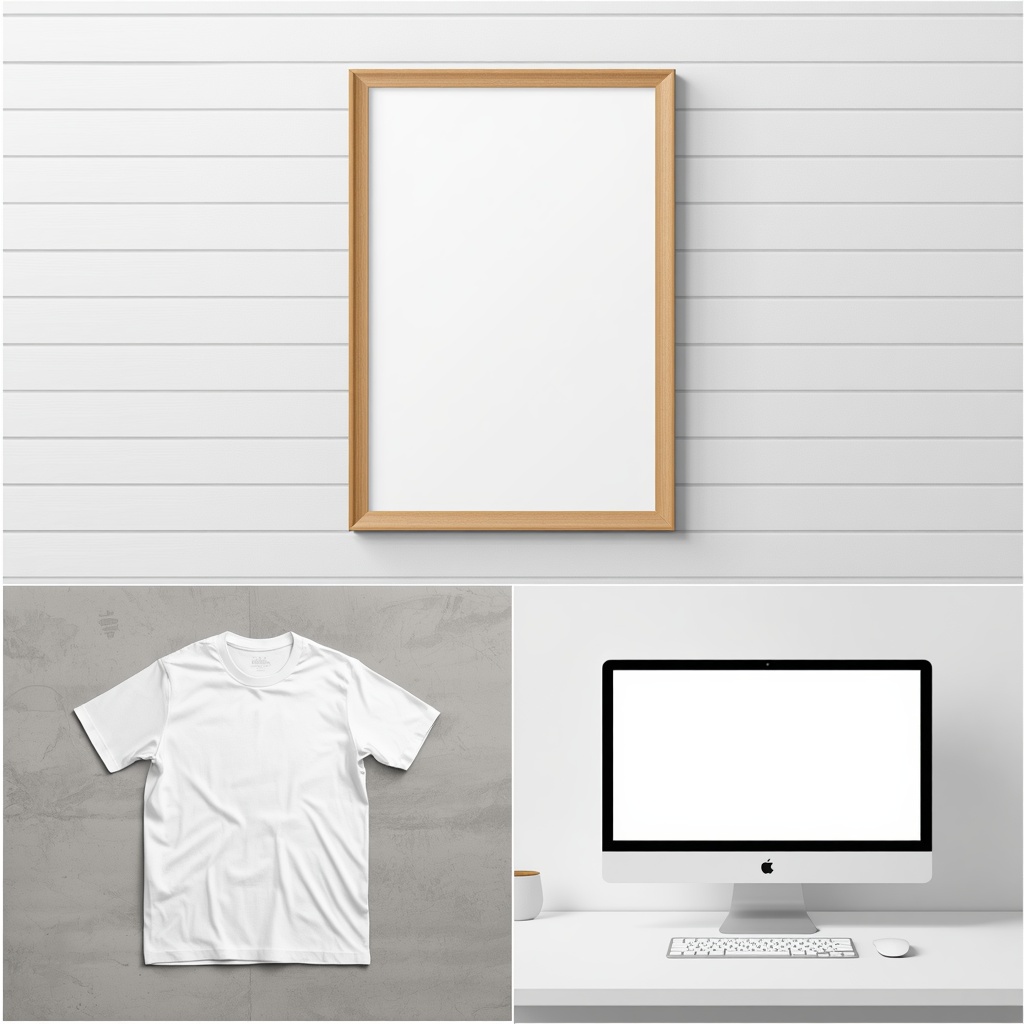
Examples of isolated, high-end negative space templates generated via Midjourney v6.1.
To get professional-grade results from AI, you must explicitly tell the model that you are creating a background template for a physical product. You need to include specific keywords like “blank space” or “empty frame” so you have room to overlay your designs later.
Here are three production-ready master prompts optimized for Midjourney v6.1:
Master Prompt 1: Minimalist Poster Frame Mockup
“An empty minimalist wooden vertical poster frame hanging on a clean white shiplap wall, soft natural sunlight casting organic leaf shadows, modern Scandinavian living room interior, high-end interior design photography, blank canvas mockup, 8k resolution, aspect ratio 4:5 –v 6.1”
Master Prompt 2: Apparel/T-Shirt Flat Lay Mockup
“A flat lay mockup of a blank white folded unisex t-shirt on a textured light gray concrete surface, surrounded by minimalist lifestyle props like sunglasses and a coffee cup, overhead studio lighting, clean commercial product photography, aspect ratio 4:5 –v 6.1”
How to Create Etsy Mockups with AI Step 3: Isolating Negative Space for Templates
When you are selling intricate digital documents—such as editable travel tickets or custom event bundles—flat-screen graphics look unappealing. You need a tactile, physical representation.
Expert Insight: “When I first generated mockups for multi-design digital ticket templates, I made the mistake of leaving too much visual noise on the desk. The secret to a high-converting listing is negative space. You must instruct the AI to render a clean, completely empty digital device screen or a stack of blank card stock papers. This gives you a pristine canvas to seamlessly overlay your design layers in Canva without cutting off the edges.”
The Template Trap (What I Learned the Hard Way): “If you are selling multi-page editable templates, like boarding passes or event bundles, do not make the rookie mistake of prompting Midjourney for a ‘perfectly finished product.’ It will generate messy, distorted AI gibberish text all over your layout. Instead, force the AI to build an absolute blank canvas—like an empty stack of cardstock on a clean studio desk. By doing this, I saved countless hours of editing, because slapping a high-contrast ’17 Designs Included’ badge on a clean, intentional space is what actually stops the scroll.”
How to Create Etsy Mockups with AI Step 4: Eliminating Text Artifacts and AI Distortions
Generative models occasionally introduce subtle flaws, such as deformed textures or random gibberish text in the background. Before uploading your mockup to your editing suite, you must perform a quality control sweep:
- Artifact Erasure: Use an advanced canvas brush tool to entirely wipe out any weird lines or random shapes generated by the AI.
- Texture Smoothing: Ensure that clothing folds or frame glass reflections look mathematically coherent and natural.
- Blank Canvas Validation: Double-check that your placeholder area (the blank shirt, the empty screen, or the frame interior) is uniform in color so it doesn’t distort your artwork’s transparency layers.
How to Create Etsy Mockups with AI Step 5: Final Layout Assembly in Canva
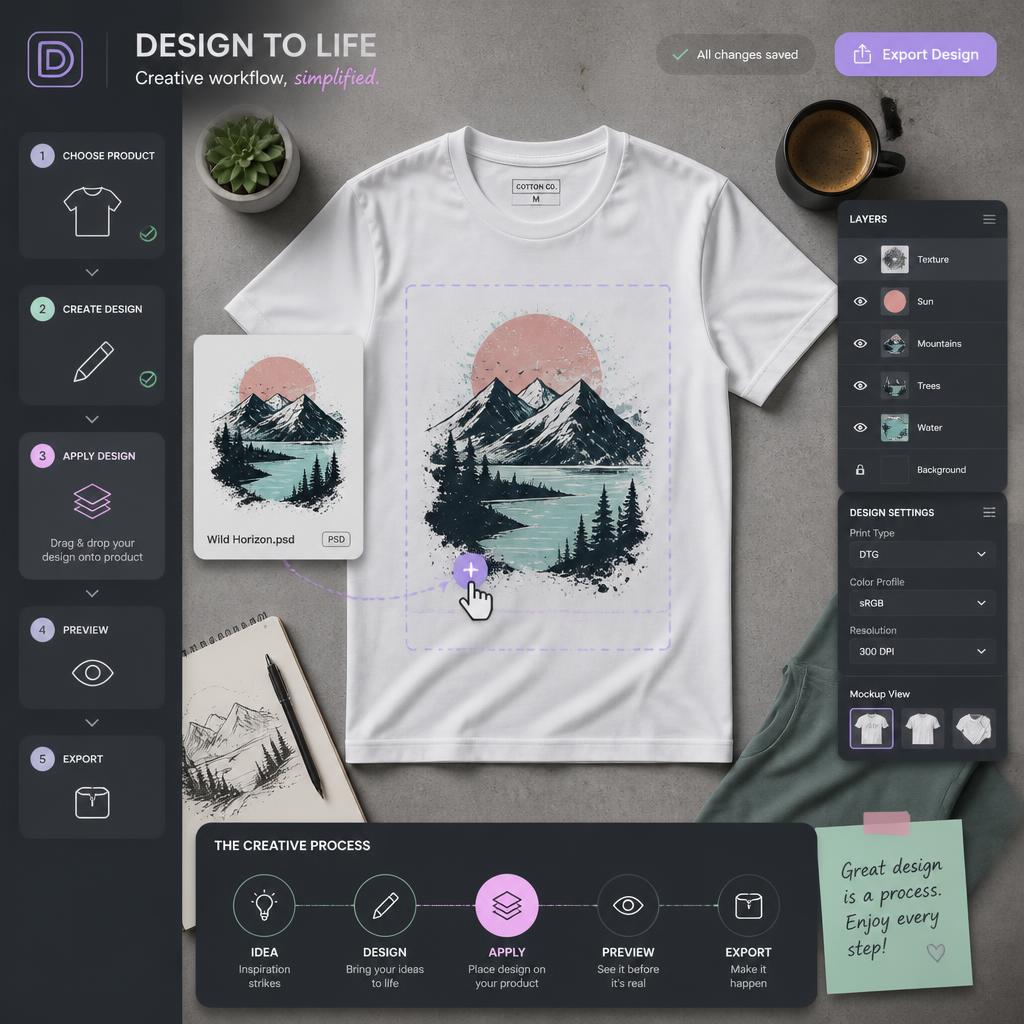
Visual demonstration of blending product design layers onto generative AI canvas layouts.
The final step is combining your AI-generated mockup background with your actual digital product file.
- Importing Assets: Upload your cleaned Midjourney mockup and your high-resolution PNG product design into Canva.
- Blending Modes: Lower the transparency of your design layer slightly (to around 95-98%) or apply a subtle “Multiply” blend effect. This allows the underlying natural shadow and fabric texture from the AI image to bleed through, making the final image look 100% authentic rather than cheaply photoshopped.
- Callout Graphics: Add a clean text badge over the mockup thumbnail indicating important sales specs, such as “17 Designs Included” or “Fully Editable in Canva” to clarify the immense value of your bundle.
My Golden Rule for Flawless Blending: “Here is a secret trick I use every single time I overlay a design onto an AI-generated t-shirt flat lay. Beginners usually drop their transparent PNG artwork at 100% opacity and call it a day. It looks incredibly fake. I always drop the opacity to 96% and switch the blending layer to ‘Multiply’ inside the editor. This allows the natural wrinkles, shadows, and concrete textures of the AI background to realistically bleed through the ink. It’s a tiny 2-second fix, but it makes your digital mockups look 100% physical.”
Technical Comparison: Mockup Generation Tools
| AI Engine | Target Product Niche | Best Aspect Ratio | Key Prompt Keyword |
| Midjourney v6.1 | Framing, Lifestyle, Room Decor | --ar 4:5 (Etsy Fit) | Blank Canvas / Empty Frame |
| DALL-E 3 | Flat Lays & Tech Mockups | Vertical | Isolated Top-Down View |